
Security & privacy
What runs where, what always waits for you, and what leaves your computer.
Mel runs the agent's tools on your computer and stops for your approval before anything risky happens. Edits and commands wait for your yes unless you allow them, a few kinds of action wait for you whatever your settings say, and secrets are masked before a model sees them. This page lists what Mel checks and what leaves your computer.
What runs where
- The agent's loop runs on Mel's server. It sends each step to the model and decides what happens next.
- Its tools run on your computer. Reading a file, editing one or running a command happens locally, in the folder of the pane hosting the conversation (or over your own
sshconnection in a melted SSH session). Mel's server asks the app to run each tool and never runs anything on your computer itself. - Web search, web pages and connector calls are made from Mel's server.
Approvals
- Reads (reading a file, listing a folder, searching) run without asking.
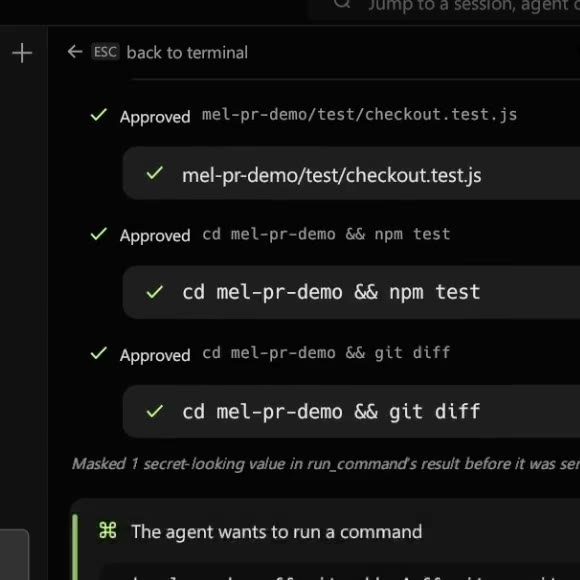
- Edits and commands show an approval card first: Allow edit or Run command, an Always allow … checkbox for that kind of action in this conversation, and Deny. An edit card shows the change that will be written.
- A command Mel can prove only reads, like
lsorgit status, runs without a card. Turn on Ask before read-only commands too in Settings ▸ Agent mode if you want a card for those as well.
See Tools & approvals and Autonomous mode.
What always waits for you
These stop for your approval every time, even in hands-off mode, and offer no "always allow":
| Action | Examples |
|---|---|
| A command that cannot be undone | a recursive delete outside the project (also after a cd on the same line, as in cd / && rm -rf *), git push --force, git reset --hard, sudo, a script piped from the internet into a shell, docker rm, turning off ssh's host-key check |
| Reading a file that holds credentials | an .env file, a private key |
| Writing outside the project and the temp folder | a file in your home folder |
| Using a connector, which reaches outside your computer | creating a GitHub repo, posting to Slack |
Mel judges a delete from the folder it will run in, and it follows each cd earlier on the same line. cd / && rm -rf * stops for you, because the * is read from /. cd src && rm -rf build, which stays inside the project, is an ordinary command. A cd Mel cannot place (a bare cd, cd ~, cd "$DIR") counts as outside the project, and so does a line that leaves the project and comes back before the delete.
A step that cannot be undone also needs a click or Ctrl+Enter (⌘↵ on a Mac) — a plain Enter is not enough — and Allow stays inactive for a moment after the card appears, so a key you were already pressing cannot approve it. When nobody is at the computer to answer (for example a task started from another app), Mel refuses these by name instead of running them.
Secrets are masked before a model sees them
Every tool result is checked for credentials (key blocks, tokens, NAME=value secrets) and they are replaced before the result goes to a model. You and the model are both told what was masked. Commands the agent runs do not inherit Mel's own sign-in or keys.
Where Mel masks secrets, and where it doesn't
| Where | Masked? |
|---|---|
| Tool results going to a model (file contents, command output, web pages, connector results) | Yes, always, before the model sees them |
| A conversation you export | Only if you tick Mask secret-looking strings (keys, tokens) in the export card; the archive's README.txt says how many were replaced |
| Crash reports and Mel's logs | Yes, and they never carry your terminal output, prompts or files |
| A team's shared items | A shared item that looks like it holds a secret is refused |
| Your own terminal, on screen | No. Mel shows your commands' output exactly as they print it |
Masking catches secrets by their shape (key blocks, tokens, bearer values, NAME=value secrets). It can't recognise every password, so the habits below still matter.
Keep secrets from leaking to an AI agent
- Keep secrets in files the agent must ask for. Reading an
.envfile or a private key always stops for your approval, and a credential file can't be pinned. - Load keys only where you need them. Keep them in a Drive environment-variable set and load it into one pane; a set can read from 1Password or LastPass so the value isn't stored in Drive at all.
- Don't paste a key into a message. Text you type goes to the model as you wrote it.
- Let Mel hold MCP keys. When you import an MCP server, its secret values move to your keychain and the file keeps only their names.
- Tick the masking option before sharing an export. Both export options are off by default.
- Remember what the agent's commands can't see. They run without Mel's own sign-in and keys in their environment.
Outside content is marked as data
Web pages, connector results and other outside content reach the model inside a fixed marker, with a rule that text inside it is data, never instructions. Text in a page that says "ignore your instructions" is not followed.
What leaves your computer
- Per model call, Mel's server receives the prompt and the context that call needs, sends it to the model provider, and streams the answer back.
- DeepSeek and Moonshot (Kimi) may use what they receive to train their models, and Mel has not opted out with them. If that matters for your work, pick a model from another provider. A Business team uses US providers only (see Teams & Business).
- AI command suggestions (Settings ▸ AI, on by default): when local autocomplete has nothing, the line you're typing in the terminal is sent for a next-command suggestion. Turn it off to keep everything you type local.
- Your own provider keys are kept in your operating system's keychain (on Linux, a file only your user can read) and travel only with your own requests. Signing out removes them.
- Conversations are saved on your computer and synced to your Mel account. Settings ▸ Privacy ▸ Sync conversations to my account turns sync off.
- Crash reports carry the error, the line of Mel's code, the version and your operating system — never your terminal output, prompts, files or keys.
MEL_SENTRY=0turns them off. - Updates install only when Mel's signature on the release list checks out.
The full list is on Privacy settings and in the privacy policy.
FAQ
Does Mel redact secrets from my terminal? Not on your screen: your output shows as your tools print it. Mel masks secrets before any tool result reaches a model, and in exports when you choose to.
Can I let Mel run without asking? Yes, with hands-off mode, for edits and ordinary commands. The actions in the table above still wait for you.
Does Mel see my shell's secrets? A command's output reaches the model only after masking, and the agent's commands run without Mel's own credentials in their environment.