Mel — your agentic terminal
From the terminal to the cloud, with a team of agents. Agents that work together, with shared memory across terminals.
Any model · any agent
Why Mel
One tool, from the first command to a shipped feature.

A terminal worth living in.
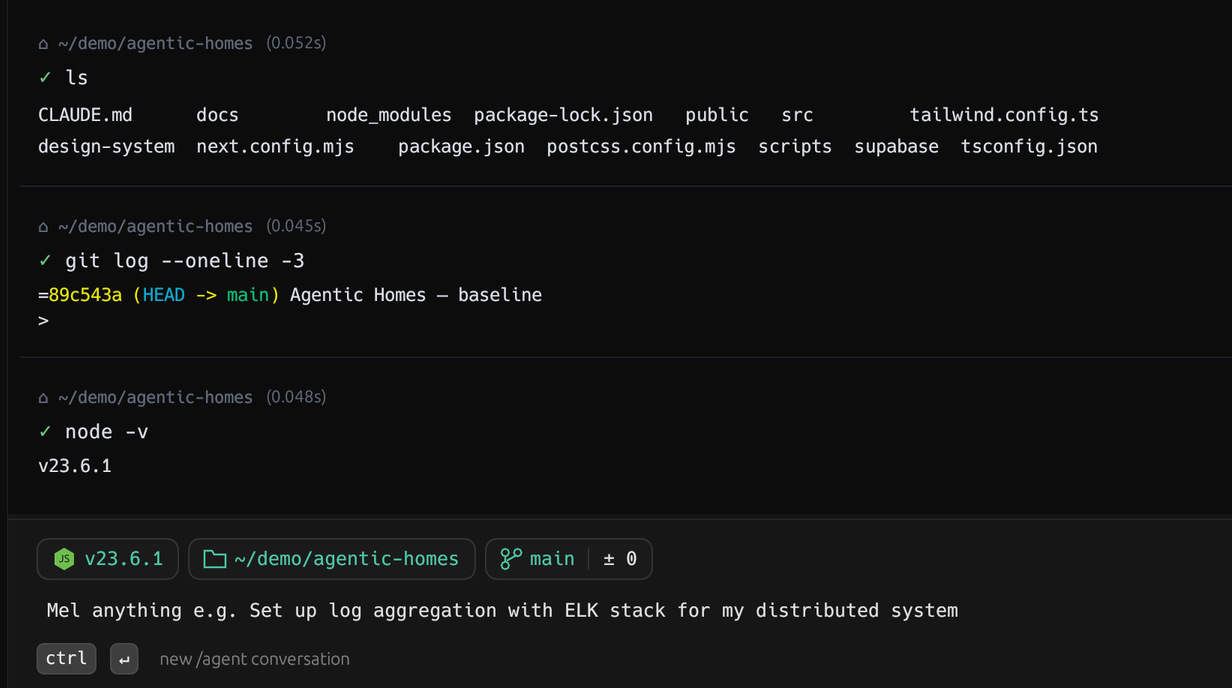
Structured command blocks, a fuzzy command palette, splits and tabs, clickable output, and context chips that know your project.
- Command blocks
- Command palette
- Splits, tabs & sidebar
- Clickable output
How the agent works
Ask, and it does the work.
Mel turns a sentence into a verified change — planning, running tools, and checking its own work.
Ask
Describe the task in plain English — no flags to memorize.
Plan
Mel routes to the right model and lays out the steps.
Run
Reads files, runs commands, edits code — with your approval.
Verify
Re-reads, builds, and tests until the change actually works.
Multi-agent
One lead. A team of agents.
Hand Mel a big task and it runs a whole team — Mel agents on any model, or CLI agents like Claude Code and Codex — across panes.
- DecomposeThe lead breaks the goal into independent subtasks.
- SpawnEach subtask gets its own worker agent in its own pane.
- Share memoryWorkers coordinate through a shared project memory.
- IntegrateThe lead reviews, wires it together, and runs the build.
Cross-agent memory
Agents that actually share a brain.
The real unlock of orchestration: every agent works from one shared project memory. They record what they build and read what the others have done — so a team of agents stays coherent instead of stepping on each other.
- One shared memoryEvery agent on a job reads and writes the same project memory — across panes and tabs.
- recall before, remember afterWorkers recall what the team has built, then remember the interfaces and decisions they create.
- No conflicts, no reworkBecause agents see each other's work, they don't touch the same files or duplicate effort.
exposed POST /orders/:id/points — returns updated balanceadded useBalance() hook in app/account; reads loyalty_pointscheckout reads balance via useBalance(); redeem calls /pointsThe terminal
A modern terminal under the agent.
Mel is a genuinely better terminal first — fast, structured, and built for how you actually work.
Command blocks
Every command and its output is a selectable, filterable block — copy, share, or rerun.
Command palette
A fuzzy palette for every action — splits, tabs, search, agent, workflows. ⌘P and go.
Splits & tabs
Split panes any direction, a sidebar of sessions, drag to resize — your workspace, your way.
Clickable everything
Paths and URLs in output are live — Cmd-click to open files, folders, and links.
Context chips
Node, Python, Rust, Go and git chips show your project state and switch versions inline.
Built-in code review
Review diffs, comment on lines, and edit with an LSP-aware editor — without leaving the terminal.
The difference
A terminal, leveled up.
Security & privacy
Built to be trusted with your code.
Local-first execution, no keys to hand out, and a relay you can run yourself.
Your code runs locally
Read, edit, and run all execute on your machine. Only the context a model call actually needs is sent.
No API keys to manage
Provider keys live server-side on the Mel relay, so there's nothing to configure to get started.
Self-host the relay
Run the relay on your own cloud with token auth and per-user daily quotas. Bring your own keys.
Open source
The terminal and relay are MIT-licensed and auditable. No black boxes — read every line.
Open source soon
Built for developers. Opening up soon.
Mel is moving toward an open-source future with the developer community at the center. We’re building a terminal-native agent workspace with shared memory, self-hostable infrastructure, and tools developers can shape with us.
Get early access, follow the roadmap, and help shape the open-source launch.
FAQ
Questions, answered.
Yes — download Mel free for macOS, Windows, and Linux. It's open source (MIT), and there's no account required to try it.
No. Provider keys live server-side on the Mel relay, so you download and start. 'auto' routes each request to the best model for the task, and falls back across providers if one is unavailable.
Six providers — Anthropic Claude, OpenAI GPT, Google Gemini, Groq Llama, DeepSeek, and Moonshot Kimi — about 41 models in all. Pick one, or let 'auto' choose per task.
Agent tools — read, edit, run — execute locally on your machine. Only the context a model call actually needs is sent to the relay, which calls the provider.
Native apps for macOS, Windows, and Linux. One download, same Mel everywhere.
Yes — run the relay on your own cloud with token-based auth and per-user daily quotas. See Mel for teams.
Get started
Start shipping with a team of agents.
Free and ready in one download — for macOS, Windows, and Linux.
Download
Get Mel.
Free · direct download · macOS, Windows & Linux. Every release is built and published from CI.
- 1Unzip, then drag Mel.app into Applications.
- 2
right-click Mel → Open # unsigned for now