The best AI coding agents for teams in 2026
October 22, 2026 · 3 min read
- A team needs more from a coding agent than one developer does: approvals, every model, one bill and every computer.
- Claude Code and Codex CLI are strong, but each works best with its own company's models.
- Cursor and GitHub Copilot fit editor-first work; Aider and Cline fit people who want open source.
- Mel is the agentic terminal for teams: a team of agents, every top model, configurable approvals and one invoice.
Most "best AI coding agent" lists are written for one developer working alone. A team asks different questions: who pays, who approves what the agent runs, which models it can use, and whether everyone can work the same way. This guide compares the main options with those questions in mind.
What a team needs from an AI coding agent
- Control. The agent runs commands and edits files. A team needs to decide what it may do on its own and what it must ask first.
- More than one model. No single model is best at every step. Planning, writing code and reviewing a diff often work better on different models.
- One bill. Five developers with five separate subscriptions is hard to track. A shared plan with one invoice is easier.
- The whole job, not just the code. Writing code is one step. Running the tests, reading the errors and fixing them is where the time goes.
- Every computer. Teams mix Mac, Windows and Linux, and many people live in VS Code.
Tip for teams: before you compare tools, write down who approves what the agent runs. The answer tells you which approval settings you need from any tool.
The main options in 2026
| Tool | What it is | Best for |
|---|---|---|
| Claude Code | Anthropic's coding agent in the terminal | Developers who want Claude models in the terminal |
| Codex CLI | OpenAI's coding agent in the terminal | Developers who want OpenAI models in the terminal |
| Cursor | A code editor built around AI | People who want AI inside the editor |
| GitHub Copilot | AI help inside GitHub and popular editors | Teams already standardised on GitHub |
| Aider | An open-source pair programmer for the terminal | Developers who want an open-source tool and bring their own key |
| Cline | An open-source coding agent for VS Code | VS Code users who want an open-source agent |
| Mel | The agentic terminal that plans, builds, tests and ships | Teams who want one terminal, every top model and one bill |
Claude Code and Codex CLI
Both are strong agents from the companies that make the models. Each one works best with its own company's models. If your team wants to use Claude for one step and GPT for another, you end up running two tools and paying two subscriptions.
Cursor and GitHub Copilot
These put AI inside the editor. They are a good fit when most of the work is writing and changing code by hand, with AI suggestions along the way.
Aider and Cline
Both are open source and work with your own API key. They are a good fit for developers who want to see and change how the tool works.
Where Mel fits
Mel is the agentic terminal that plans, builds, tests and ships your work, from prompt to production-ready code, with you in control. It is built for teams.
- A team of agents in one terminal. Mel plans the work, writes the code, runs the tests and ships it. It can also run Claude Code, Codex and OpenCode as workers, so your team keeps the tools it already likes.
- Every top model. Claude, GPT, Gemini, DeepSeek and Qwen, with the right model for each step.
- You stay in control. Configurable approvals keep you in control of commands and edits.
- Built for teams. The Business plan gives the whole team shared credits and one invoice.
- Works where you work. Mac, Windows, Linux and VS Code.
Price: Mel is free with your own API key (your provider's usage charges apply). Pro is $20 a month and Max is $200 a month. See pricing.
How to choose
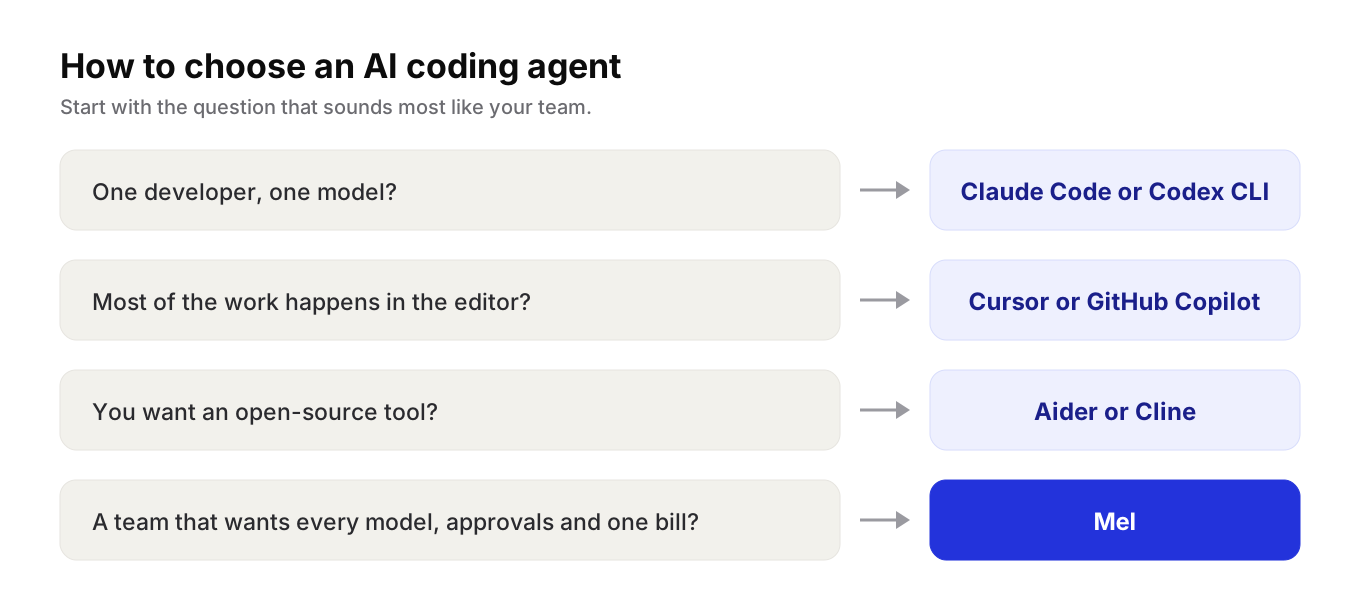
- One developer, one model? The model company's own agent (Claude Code or Codex CLI) is a simple start.
- Most work happens in the editor? Cursor or GitHub Copilot.
- Want open source? Aider or Cline.
- A team that wants every model, approvals and one bill? Try Mel.
Try Mel
Download Mel for free on Mac, Windows or Linux, or book a 15-minute demo for your team.

Lalla is a hands-on tech founder, agentic infrastructure architect and the vision behind Mel.
Follow on LinkedIn