
Connectors
GitHub, Slack, Linear, Vercel and more, on your own keys.
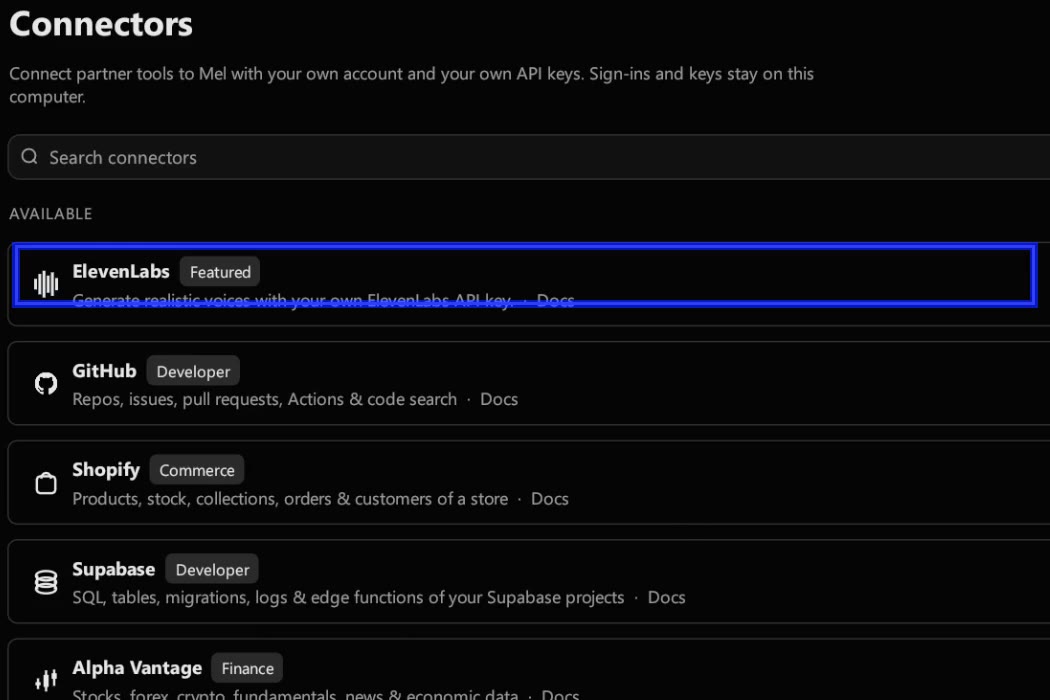
Connectors let Mel's agent work in the services you use: open a GitHub pull request, post to Slack, create a Linear issue, check a Vercel deployment. You connect each one with your own account and your own API key. The key is stored on your computer; each call you approve carries it through Mel's server, which forwards it to the service and does not store it. Every connector call stops for your approval first. Open them in Settings ▸ Connectors.
Connect one
- Open Settings ▸ Connectors and find the service (there's a search box).
- Click Connect. Mel shows what the connector can do and what it sends.
- Paste your API key for that service and click Save and connect.
To remove one, click Disconnect. Its key is removed from this computer.
If you ask for something a connector you haven't connected would do, Mel shows a Connect card for it right in the conversation.
Available connectors
| Connector | What the agent can do |
|---|---|
| GitHub | Repos, issues, pull requests, Actions and code search; create a repo and push files |
| Slack | Channels, threads, search and members; read, post and react |
| Linear | Issues, projects, cycles, teams and documents; read, create, comment and update |
| Vercel | Projects, deployments, logs, env vars and domains; deploy |
| Shopify | Products, stock, collections, orders and customers of a store |
| Supabase | SQL, tables, migrations, logs and edge functions |
| Stripe | Balance, customers, payments, subscriptions, invoices and payment links |
| Neon | Postgres projects, branches, schemas and read-only SQL |
| Sentry | Issues, events, traces and releases (read-only) |
| PostHog | Insights, dashboards, feature flags, events and SQL (read-only) |
| Airtable | Bases, tables, records and comments |
| Postman | Workspaces, collections, requests and environments |
| Cloudflare | Zones, DNS, Workers and analytics, as far as your token can read |
| Hugging Face | Models, datasets, Spaces, papers and docs on the Hub |
| Zapier | The Zapier actions you've connected |
| ElevenLabs | Voice, audio and conversational AI |
| Alpha Vantage | Stocks, forex, crypto, fundamentals, news and economic data |
The list in the app is the current one.
Without a connector
For twelve services with a command-line tool, you don't need a connector or a key at all: just ask, for example "connect to my GitHub" or "deploy this to Vercel". Mel checks whether the tool is installed and signed in on your computer, installs it if it is missing (a command you approve), and if you are not signed in, starts the tool's own browser sign-in and tells you exactly what to click or which code to enter. Then it finds your projects and opens the page you want. This is the built-in connect-accounts skill, in Mel since v0.1.58. These are ordinary commands, so they go through the normal command approval.
| Service | Tool | Browser sign-in |
|---|---|---|
| GitHub | gh | gh auth login --web |
| Vercel | vercel | vercel login |
| Netlify | netlify | netlify login |
| Supabase | supabase | supabase login |
| Cloudflare | wrangler | wrangler login |
| Fly.io | fly | fly auth login |
| Railway | railway | railway login |
| Firebase | firebase | firebase login |
| AWS | aws | aws sso login for an SSO profile; otherwise you run aws configure yourself |
| Google Cloud | gcloud | gcloud auth login |
| Azure | az | az login |
| Stripe | stripe | stripe login |
Mel does not ask you to paste a password or key into the chat when a sign-in command can do it, and it never prints a token. Deploying to production, deleting a project and changing billing stay your decision. A service with no command-line tool, such as Slack or Linear, is reached only through its connector.
Safety
- Your key, never Mel's. A connector always runs on the key you gave it. Mel never uses its own account for your calls.
- Every call stops for your approval. The approval card lists the call's arguments, with money and production first and secrets masked. There's no "always allow" for connectors, and with nobody at the computer the call is refused.
- Writes are capped. Connectors that write (like pushing files to GitHub) have limits, and the description and any refusal say what they are.
- Results are data. What a service returns reaches the model marked as outside content, never as instructions.
Teams
On a Business team, an owner or admin can Recommend to team, and the connector shows under Recommended by your team for everyone. Each member still connects it with their own key.
Troubleshooting
A connector shows "Needs reconnect". Its key stopped working. Click Reconnect.
The call was refused with a message from the service. Mel passes on the service's own reason and the next step, for example a key without the right scope.
"Sign in to use connectors." Connectors need you to be signed in to Mel.
FAQ
Do I need a paid Mel plan? You need to be signed in to Mel. The service's own plan and limits apply to its key.
Can I add a service that isn't listed? Yes, as an MCP server: Settings ▸ Connectors ▸ Custom server…. See MCP servers.