Mel – the agentic terminal
The AI terminal for teams.
The best AI coding tools for startups and small teams
November 3, 2026 · 4 min read
- Pick the AI coding tool that matches where your people spend their time, and test it on your own tasks.
- Cursor and GitHub Copilot suit editor work; Claude Code and Codex CLI suit one developer on one model.
- Small teams ship faster by handing over whole tasks, reviewing every diff and setting clear approvals.
- Mel starts free with your own key and grows into shared credits and one invoice on the Business plan.
A startup has little time, a small budget and a lot to build. The right AI coding tools for startups help a few people do the work of more, without adding a new tool to manage for every task. This guide looks at the main options, what each one is good at, and how a small team can pick a setup it will still like a year from now.
What AI coding tool should a startup use?
A startup should use the tool that matches where its people spend their time: an editor tool for editor-heavy work, a terminal agent for one developer on one model, and a team terminal like Mel when several people need many models, shared rules and one bill. The best choice is the one your team will actually use every day.
What a small team needs
- Speed on the whole job. Writing code is one step. Running the tests, reading the errors and fixing them is where the time goes.
- Control. An agent runs commands and edits files. Even a team of three should agree on what it may do on its own.
- Freedom on models. No single model is best at every step, and new ones arrive often. Being tied to one company limits you.
- A simple bill. One subscription per person gets messy as the team grows.
- Every computer. Small teams often mix Mac, Windows and Linux, and many people use VS Code.
The main options
| Tool | What it is | Good for |
|---|---|---|
| Cursor | A code editor built around AI | People who do most of their work in the editor |
| GitHub Copilot | AI help inside GitHub and popular editors | Teams already on GitHub |
| Claude Code | Anthropic's coding agent in the terminal | Developers who want Claude models in the terminal |
| Codex CLI | OpenAI's open-source coding agent in the terminal | Developers who want OpenAI models in the terminal |
| Aider | An open-source pair programmer for the terminal | Developers who want open source with their own key |
| Cline | An open-source coding agent for VS Code | VS Code users who want an open-source agent |
| Mel | The agentic terminal that plans, builds, tests and ships | Small teams who want one terminal, the leading models and one bill |
Editor tools: Cursor and GitHub Copilot
These put AI where you write code. They are a good fit when most of the work is changing code by hand, with AI help along the way.
Terminal agents: Claude Code and Codex CLI
Both are strong agents from the companies that make the models. Each works best with its own company's models. For one developer who likes one model, either is a simple start.
Open-source tools: Aider and Cline
Both are open source and work with your own API key. They suit developers who want to see and change how their tools work.
Tip: before you buy anything, write down the three tasks that cost your team the most time each week. Test every tool on those tasks, not on a demo.
How can a small team ship faster with AI?
A small team ships faster with AI when the agent handles the whole loop, from plan to code to tests, and people spend their time reviewing and deciding. Here is a practical way to get there:
- Hand over full tasks, not single lines. Ask the agent to fix a bug and run the tests, not just to write a function.
- Review every change. Read the diff before you merge it. The agent does the typing, and you keep the judgment.
- Set clear approvals. Decide which commands and edits need a person to say yes.
- Use the right model for each step. Planning, writing and reviewing can each work better on a different model.
- Keep one place for the work. Fewer tools means less setup and less switching for a small team.
Where Mel fits
Mel is the agentic terminal that plans, builds, tests and ships your work, from prompt to production-ready code, with you in control. It is the AI terminal for teams.
- A team of agents in one terminal. Mel plans the work, writes the code, runs the tests and ships it.
- Keep the tools people like. Mel can run Claude Code and Codex as part of its team of agents.
- The leading models. Claude, GPT, Gemini, DeepSeek and Qwen.
- You stay in control. Configurable approvals keep you in control of commands and edits.
- Start free, grow into one bill. Mel is free with your own API key (your provider's usage charges apply). Pro is $20 a month and includes 1,500 hosted AI credits a month, and Max is $200 a month. When the team grows, the Business plan gives everyone shared credits and one invoice. See pricing.
- Works where you work. Mac, Windows, Linux and VS Code. The app is in English.
How to choose
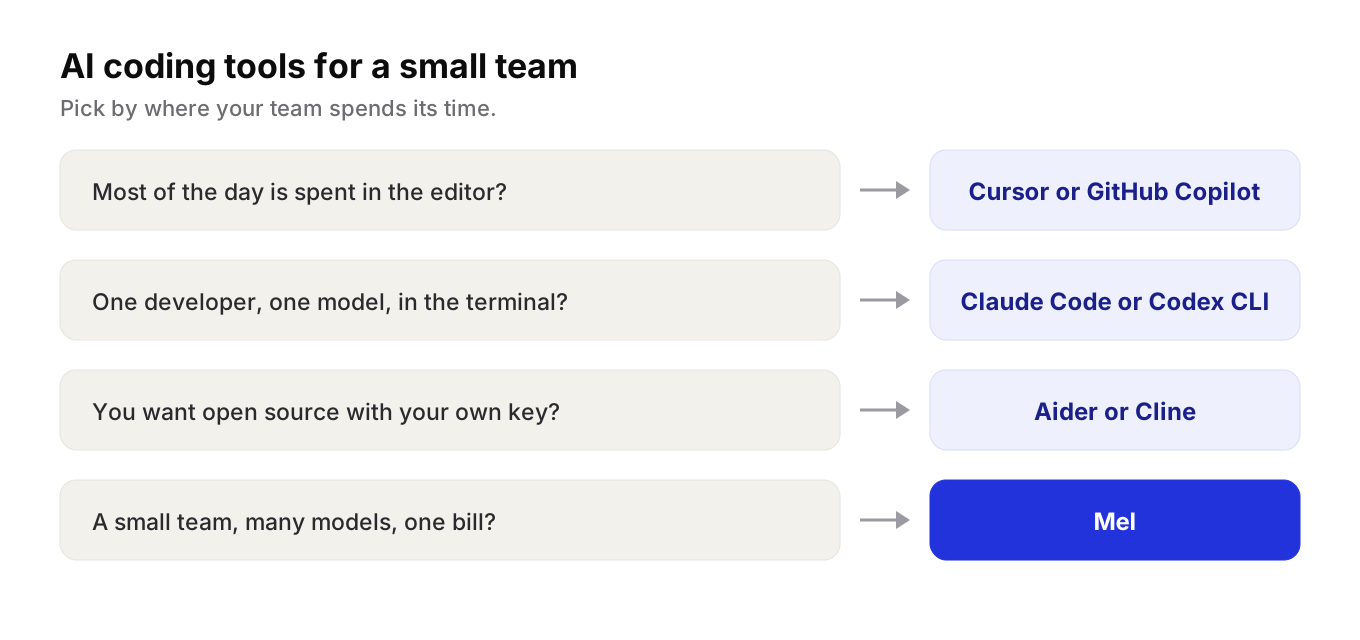
- Most of the work happens in the editor? Cursor or GitHub Copilot.
- One developer, one model, in the terminal? Claude Code or Codex CLI.
- Want open source with your own key? Aider or Cline.
- A small team that wants many models, approvals and one bill? Try Mel.
Try Mel
Download Mel for free on Mac, Windows or Linux, or book a 15-minute demo for your team.

Lalla is a hands-on tech founder, agentic infrastructure architect and the vision behind Mel.
Follow on LinkedIn