Mel – the agentic terminal
The AI terminal for teams.
The best AI coding agent for Windows in 2026
October 30, 2026 · 4 min read
- Windows support differs from tool to tool, so check each agent's own install page before you choose.
- WSL runs a Linux environment inside Windows; whether an agent needs it depends on the tool.
- Check the install steps, WSL, the shell it uses, and try it on a real task in your own project.
- Mel runs natively on Windows, with an installer, a portable version and an ARM64 build, and on Mac and Linux too.
If you write code on Windows, picking an AI coding agent starts with a simple question: does it run well on your machine? This guide covers what to check when you choose an AI coding agent for Windows, what WSL is and when it matters, and how Mel runs on Windows.
Which AI coding agents work on Windows?
Many AI coding agents can be used on Windows, but how each one installs and runs differs, so check each tool's install page before you choose. Tools change their Windows support over time, and the install page is the most reliable place to see what is true today.
Here are the main options and what each is good at:
| Tool | What it is | Good at |
|---|---|---|
| Claude Code | Anthropic's coding agent in the terminal | Working with Claude models in the terminal |
| Codex CLI | OpenAI's coding agent in the terminal | Working with OpenAI models in the terminal |
| Gemini CLI | Google's coding agent in the terminal | Working with Gemini models in the terminal |
| OpenCode | An open-source coding agent for the terminal | People who want an open-source terminal agent |
| Aider | An open-source pair programmer for the terminal | Bringing your own key to a simple, open tool |
| Cursor | A code editor built around AI | AI inside the editor |
| GitHub Copilot | AI help inside GitHub and popular editors | Teams already on GitHub |
| Cline | An open-source coding agent for VS Code | VS Code users who want an open-source agent |
| Mel | The agentic terminal that plans, builds, tests and ships | Teams who want one terminal and many models |
For every tool on this list except Mel, read its own install page for Windows. We have not tested each one on Windows, so we do not say here which ones run natively.
Do I need WSL for an AI coding agent?
It depends on the agent, so check the tool's install page; Mel does not need WSL, because it runs natively on Windows. WSL, the Windows Subsystem for Linux, runs a Linux environment inside Windows. Some developers like it for Linux tools. Others would rather not set it up, keep two file systems in sync or switch between two shells.
Questions to ask about any agent:
- Does it install as a normal Windows app or command? Or does it ask you to set up WSL first?
- Which shell does it use? Your commands should run in a shell you know.
- Does it work on the same files your editor sees? Two copies of a project are easy to mix up.
- Is there a build for your chip? Some Windows laptops use ARM processors.
Tip: try any agent on a small real task in your own project, such as fixing one failing test. You learn more about how it runs on your machine in ten minutes than from any feature list.
What to look for in a Windows coding agent
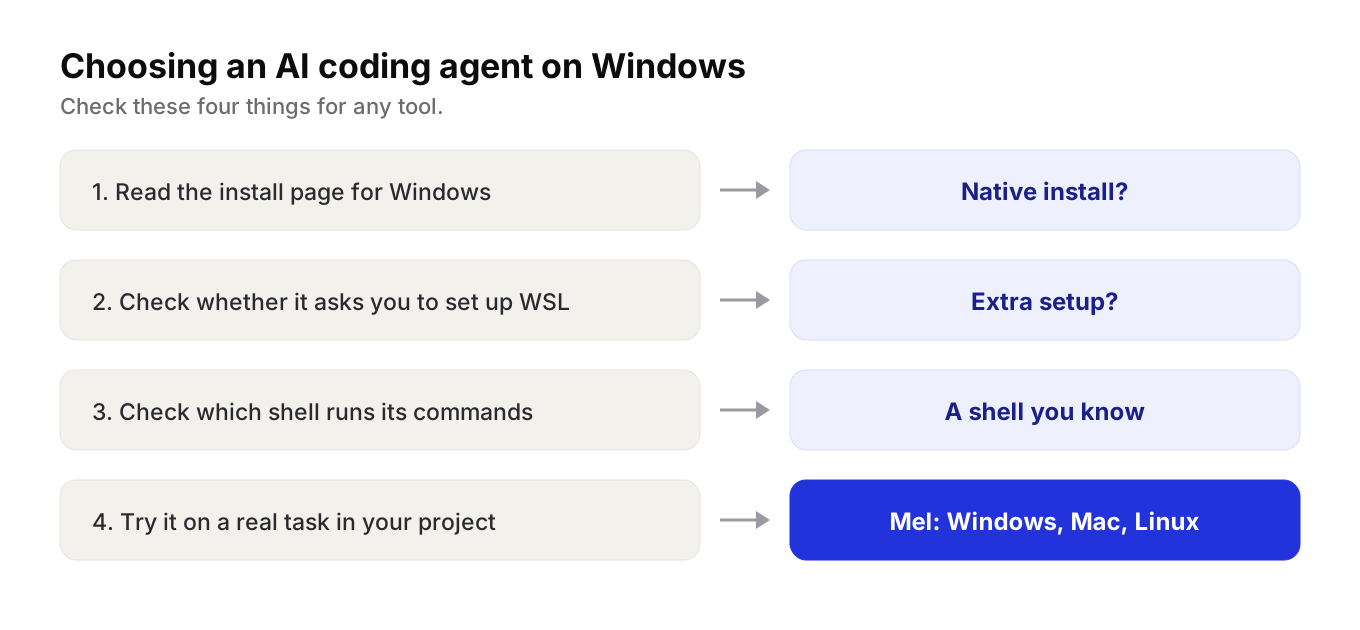
- Read the install page. Look for Windows steps, not only Mac and Linux.
- Check for WSL. Decide whether you want that extra setup.
- Check the shell. Know which shell runs the agent's commands.
- Try a real task. Run it on your own project before you roll it out to a team.
How Mel runs on Windows
Mel is the agentic terminal that plans, builds, tests and ships your work, from prompt to production-ready code, with you in control. It is the AI terminal for teams, and it runs natively on Windows, Mac and Linux.
On Windows, Mel's docs describe:
- A per-user installer with no admin prompt, a Start menu entry and a normal uninstall in Settings.
- A portable version you extract and run, with nothing registered in Windows.
- A native ARM64 build for ARM PCs such as Snapdragon laptops.
- A code-signed app. SmartScreen may still ask once while the certificate builds its reputation.
- Your commands in cmd.exe, in a real terminal sized to the pane.
The rest of Mel is the same on every system. A team of agents in one terminal plans the work, writes the code, runs the tests and ships it. Mel can run Claude Code and Codex as part of its team of agents, so a team keeps the tools it likes. It works with Claude, GPT, Gemini, DeepSeek and Qwen. Configurable approvals keep you in control of commands and edits. There is also a VS Code extension, if your team works in VS Code.
Mel is free with your own API key (your provider's usage charges apply). Pro is $20 a month and includes 1,500 hosted AI credits a month. Max is $200 a month. Business gives a team shared credits and one invoice. See pricing.
Try Mel
Download Mel for free for Windows, Mac or Linux, or book a 15-minute demo for your team.

Lalla is a hands-on tech founder, agentic infrastructure architect and the vision behind Mel.
Follow on LinkedIn