Mel – the agentic terminal
The AI terminal for teams.
Free AI coding agents: use your own API key
October 29, 2026 · 4 min read
- Aider and Cline are open source and free with your own API key, and Mel is free with your own key too.
- With your own key the agent can be free, and your model provider bills the usage your requests create.
- Coding agents read files and run commands, so a long session costs more than a quick question.
- Some providers offer free tiers with rate limits and their own terms; Mel Pro's hosted credits remove the need for a key.
A free AI coding agent is easier to find than you might think. Several agents cost nothing to install and use, as long as you bring an API key from a model provider. The catch is that "free" usually means the tool is free, while the model work is billed by the provider. This guide explains how that works and what to check before you start.
Is there a free AI coding agent?
Yes: open-source agents like Aider and Cline are free to use with your own API key, and Mel is free with your own API key too. In each case you pay nothing for the agent itself, and your model provider bills the usage your requests create.
The tools differ in where they run and how they work:
| Tool | What it is | What you pay for the tool | What you pay the provider |
|---|---|---|---|
| Aider | An open-source pair programmer for the terminal | Nothing | Usage on your key |
| Cline | An open-source coding agent for VS Code | Nothing | Usage on your key |
| Mel | The agentic terminal that plans, builds, tests and ships | Nothing on the Free plan | Usage on your key |
Aider and Cline are good picks if you want to read and change how your tool works, because both are open source. Mel is not open source yet; open source is coming soon. It is built for people and teams who want a team of agents in one terminal, with a choice of models and the option to move to hosted credits later.
Can I use my own API key with an AI coding agent?
Yes, many AI coding agents let you paste in an API key from a model provider, and the agent then sends its requests on that key. This is often called "bring your own key", or BYOK.
The steps are much the same everywhere:
- Create an account with a model provider and open its API keys page.
- Create a key and copy it. Treat it like a password.
- Paste it into the agent's settings. In Mel, that is Settings, then AI, then Provider API keys.
- Send your first prompt. The agent now runs on your key.
In Mel, the key is stored on your device. The free key guide shows the steps in detail.
Tip: before you paste a key anywhere, check whether your provider lets you set a monthly budget or a usage alert. It is the simplest way to avoid a surprise bill.
What does "bring your own key" cost?
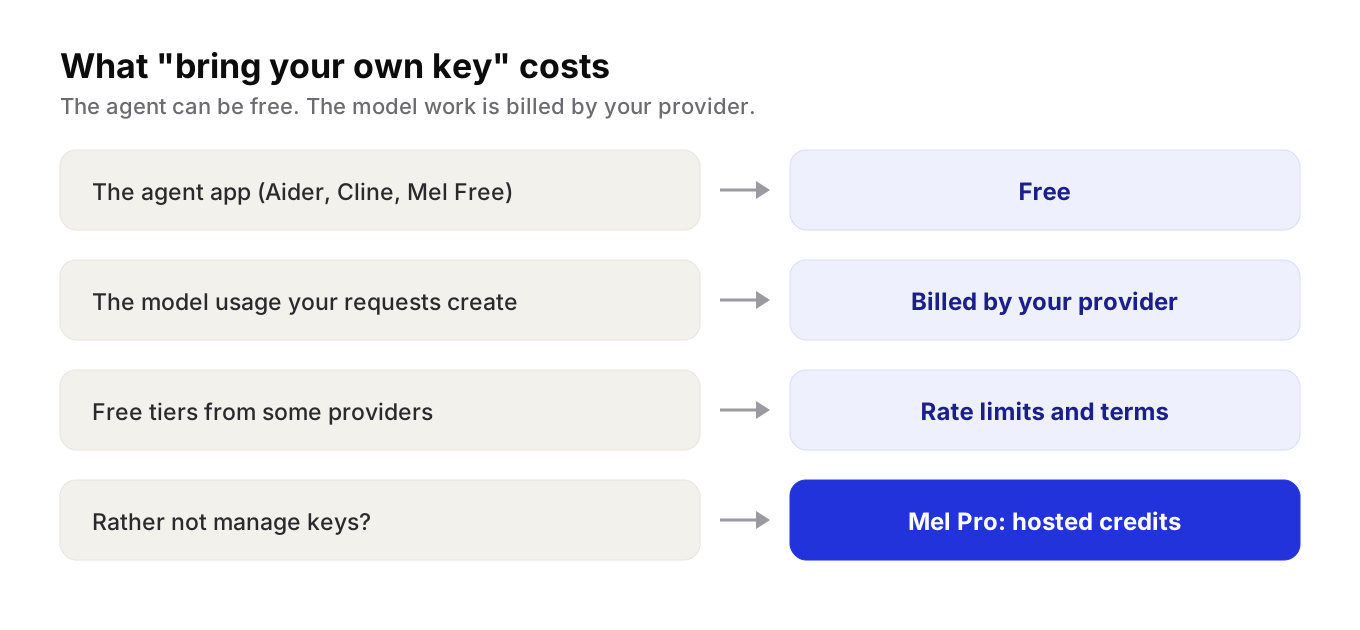
With your own key, the agent itself can be free, and your model provider bills you for the usage your requests create. You pay the provider's own price, on the provider's own bill.
What drives that bill is how much text goes to the model and comes back. A short question costs little. A coding agent does more than chat, though. It reads files, runs commands, reads the output and tries again, and every step sends more to the model. A long session that builds and tests a feature costs more than a quick question.
Free tiers from providers
Some providers offer free API access with rate limits. Mel's docs point to Groq and Google AI Studio, which both give keys at no cost. Read each provider's terms first. Limits change, and some free tiers allow the provider to use what you send to improve its products. With a coding agent, what you send includes the files and command output the agent reads.
When hosted credits make more sense
Managing keys is fine for one person. It gets harder when a whole team has its own keys, limits and bills. That is when a plan with hosted credits can be simpler.
Mel: free with your own key, or hosted credits
Mel is the agentic terminal that plans, builds, tests and ships your work, from prompt to production-ready code, with you in control. It is the AI terminal for teams.
- A team of agents in one terminal. It plans the work, writes the code, runs the tests and ships it.
- Your tools in the team. Mel can run Claude Code and Codex as part of its team of agents.
- You stay in control. Configurable approvals keep you in control of commands and edits.
- Works where you work. Mac, Windows, Linux and a VS Code extension.
Mel is free with your own API key (your provider's usage charges apply). Pro is $20 a month and includes 1,500 hosted AI credits a month, so you do not need a key. Max is $200 a month. Business gives a team shared credits and one invoice. See pricing.
Try Mel
Download Mel for free and add your own key, or book a 15-minute demo to see how a team uses it.

Lalla is a hands-on tech founder, agentic infrastructure architect and the vision behind Mel.
Follow on LinkedIn