Mel – the agentic terminal
The AI terminal for teams.
How to keep an AI coding agent under control
October 26, 2026 · 4 min read
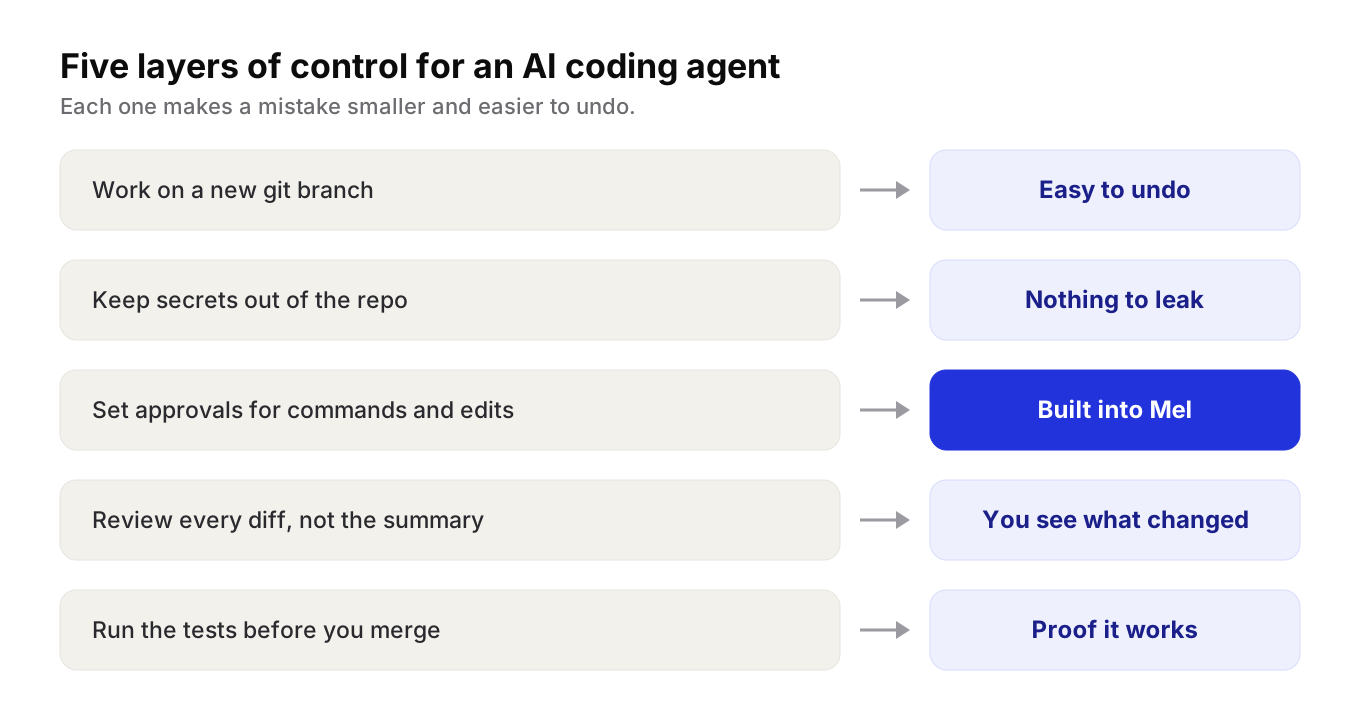
- Letting an agent run commands is reasonably safe when you limit what it does alone, use a branch and review the changes.
- Start from a clean git state on a new branch, commit in small steps and protect the main branch.
- Keep secrets out of tracked files, start approvals strict and loosen them, and read the diff, not the summary.
- Mel's configurable approvals keep you in control of commands and edits, from tight hold on sensitive work to more room for routine tasks.
An AI coding agent can run commands and edit files on your machine. That is what makes it useful, and it is also why you need a plan for control. Good AI coding agent approvals, a clean git setup and a few simple habits let you hand off real work without losing track of what changed. This guide covers the practical steps, for any tool.
Is it safe to let an AI agent run commands?
It is reasonably safe to let an AI agent run commands when you limit what it may do on its own, work on a separate git branch, keep secrets out of reach, and review the changes before they ship.
The risk is not that the agent means harm. It is that it can be wrong with confidence. It may delete a file it thinks is unused, run a command against the wrong folder, or "fix" a test by changing what the test checks. Each habit below makes those mistakes small and easy to undo.
Start with git
Git is your undo button. Set it up before the agent touches anything.
- Commit or stash your own work first. Start from a clean state, so every change after that is the agent's.
- Work on a new branch. Never let an agent work straight on your main branch.
- Commit in small steps. If the agent goes off course, you can go back to the last good point.
- Protect the main branch. Require a pull request and a review before anything merges.
Tip: after a long agent run,
git diffagainst the point where you started shows exactly what changed. Read it before you trust the summary.
Keep secrets out of the repo
An agent can read the files in your project. Anything secret in those files can end up in a prompt, a log or a commit.
- Keep keys out of tracked files. Use environment variables or a secrets manager, not values written in the code.
- Ignore local secret files. Add files such as
.envto.gitignore. - Use test keys where you can. Give the agent access to a test account, not production.
- Scan before you push. Many hosting services can scan for secrets in commits. Turn it on.
How do I approve what an AI coding agent does?
You approve what an AI coding agent does by setting which actions it may take on its own and which ones it must ask about first, then answering its requests as they come up.
Most coding agents have some form of approvals. The details differ, but the questions are the same:
| Action | Ask first? | Why |
|---|---|---|
| Reading files and searching | Usually no | It cannot change anything |
| Editing files in the project | Your choice | Git makes edits easy to undo |
| Running tests and builds | Your choice | Often safe, and the agent needs them to check its work |
| Installing packages | Yes | It changes what runs on your machine |
| Deleting files or folders | Yes | Easy to get wrong, harder to notice |
| Anything touching production | Yes, always | Mistakes here reach real users |
A good rule: start strict, then loosen. Approve each action for the first few tasks. Once you trust how the agent works on a kind of job, allow that kind of action for the session, and keep asking for the rest.
Review every diff
An approval says "you may try this". A review says "this is right". You need both.
- Read the diff, not just the summary. The summary says what the agent meant to do. The diff says what it did.
- Look for changed tests. If a test was failing and now passes, check whether the code changed or the test did.
- Run the tests yourself. Do not merge on the agent's word alone.
- Ask a second reviewer. A teammate, or a different model, will catch things you skim past.
Give the agent a clear finish line
Vague tasks lead to wide changes. Clear tasks lead to small ones.
- Say what done looks like: "the login test passes" or "the build is green".
- Name the files or folders it should work in.
- Say what it must not touch, such as config files or the database schema.
How Mel keeps you in control
Mel is the agentic terminal that plans, builds, tests and ships your work, from prompt to production-ready code, with you in control. It is the AI terminal for teams.
Configurable approvals keep you in control of commands and edits. You decide how much the agents may do on their own, so you can keep a tight hold on sensitive work and give more room to routine tasks.
Mel is a team of agents in one terminal: it plans the work, writes the code, runs the tests and ships it. It works with Claude, GPT, Gemini, DeepSeek and Qwen, and it can run Claude Code and Codex as part of its team of agents. It runs on Mac, Windows and Linux, and there is a VS Code extension.
Price: Mel is free with your own API key (your provider's usage charges apply). Pro is $20 a month and Max is $200 a month. See pricing.
Try Mel
Download Mel for free on Mac, Windows or Linux, or book a 15-minute demo for your team.

Lalla is a hands-on tech founder, agentic infrastructure architect and the vision behind Mel.
Follow on LinkedIn