
Mel – the agentic terminal
The agentic team for coding.
Compare
Leaving Warp? How Mel – the agentic terminal answers each reason
Updated
Developers who leave Warp usually give one of a few reasons: AI credits run out, the price for a small team, needing an account, where their code and keys go, Windows or Linux, too few models, or wanting Claude Code and Codex side by side. Mel – the agentic terminal (openmel.dev) is a free terminal for Mac, Windows and Linux with a team of AI agents built in. It is free with your own API key at any company size, and agent turns on your key cost 0 Mel credits. This page takes each reason in turn and says plainly what Mel does, and where Warp is still the stronger pick.
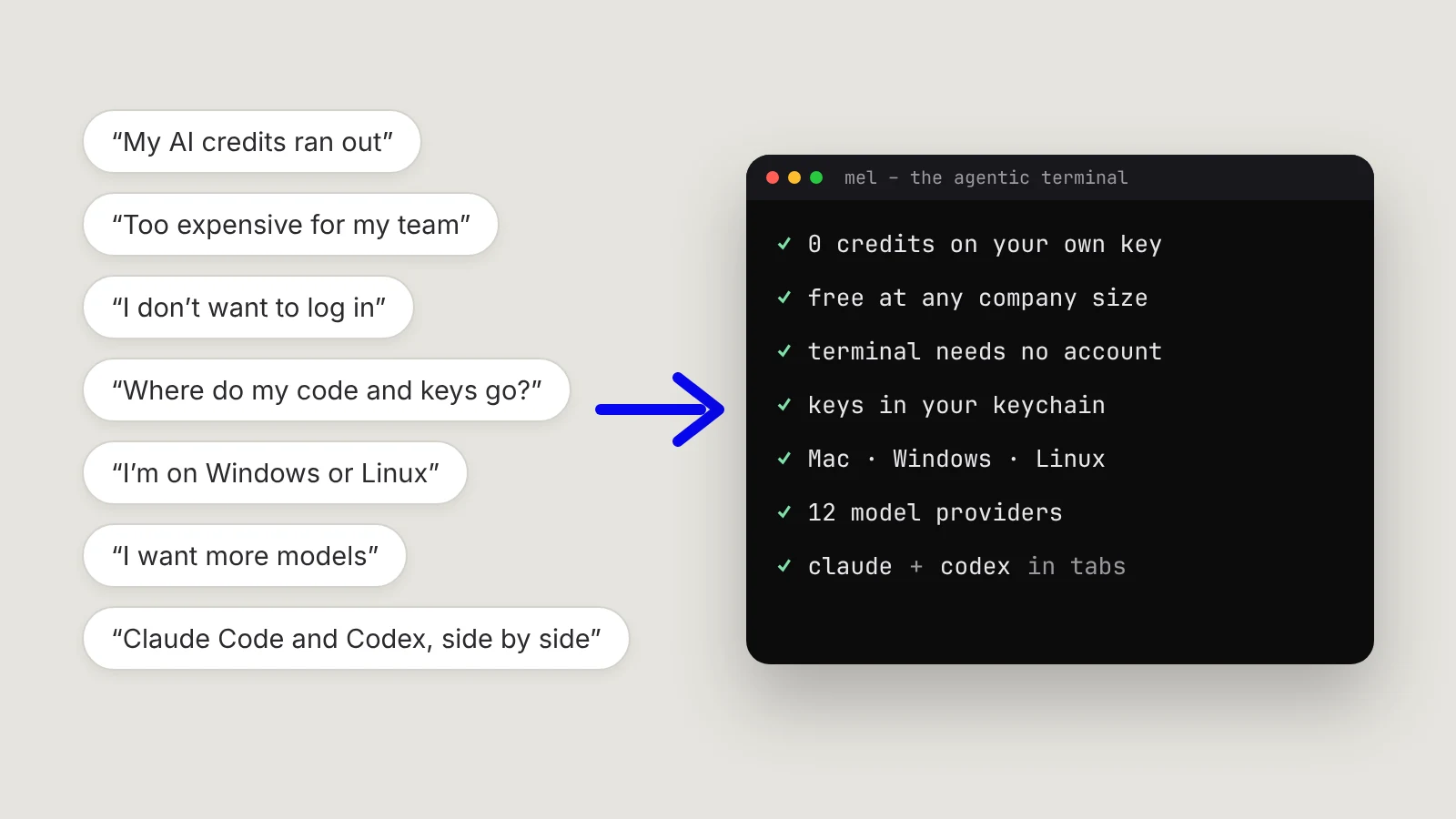
Warp is a good terminal, and many people are happy with it. If one of the reasons below is yours, this is the short answer.
"My AI credits keep running out"
On your own key, every agent turn costs 0 Mel credits. You pay the provider directly, at its price, and you see each charge on its bill. Fair-use limits still apply to stop scripted abuse, set far above what a person working hard reaches, and your provider's own rate limits apply too.
If you would rather not manage keys, Mel Pro is $20 a month with 1,500 credits and Max is $200 a month with 18,000 credits. One credit is one cent, and a turn is billed what the model that answered actually cost plus 20%. Each answer ends with a usage line, so you see the cost of every turn as it happens. See billing and usage.
"It got too expensive for my team"
Mel is free with your own key at any company size, so a team of 5 or 50 can start at $0 and pay only the model provider. Teams that want one bill use Business at $50 a seat a month with one shared credit pool. Compare the real monthly cost with cheaper alternatives to Claude Code.
"I don't want to log in to use my terminal"
Mel's terminal needs no account at all. Only Mel's own AI agent needs a free Mel account, and on the Free plan it runs on the key you add. CLI agents you bring, such as Claude Code or Codex, use your own accounts with those tools.
"I worry about my code and my keys"
- Your key is kept in your operating system's keychain on macOS and Windows; on Linux, in a file only your user account can read.
- Mel's relay uses your key for that request and never stores or logs it.
- Conversations on your own key are not used for Mel's memory.
- Before risky steps, Mel's approvals ask you first, and you choose which steps need a yes. See approvals.
For company code, read is an AI coding agent safe for company code? before you choose any tool.
"I'm on Windows or Linux"
Mel runs on Mac, Windows and Linux, plus a VS Code extension. The same app, the same agents and the same settings on all three. See download.
"I want more models"
Mel's agent works with 12 providers on your own key: Anthropic, OpenAI, Google, xAI, Groq, DeepSeek, Moonshot, Z.ai, MiniMax, Alibaba, Xiaomi and NVIDIA. Leave the model on Auto, or pick one per task. See which AI models you can use in Mel.
"I want Claude Code and Codex side by side"
Type claude, codex, opencode, copilot, amp, droid or gemini in a Mel tab. Mel opens each as a full session with a multi-line prompt box, voice input, the file explorer and View changes, and tells you once when an agent is waiting for you, even from another tab. To put several agents on one task, use /orchestrate-agent or /orchestrate-cli (the Free plan runs one Mel agent at a time; paid plans run several). See run Claude Code and Codex together.
Where Warp is still stronger
Warp's client is open source under the AGPL, it has a built-in code editor, and it runs cloud agents through Oz. If those matter most to you, stay. Mel is not open source.
Switch in 15 minutes
- Download Mel and open it. Your shell config carries over.
- Get a key, or a free one from Groq or Google AI Studio.
- Paste it in Settings, then AI, then Provider API keys.
- Give the agent one real task with a clear finish line.
The full guide is how to switch from Warp to Mel.
FAQ
What is the best Warp alternative if my AI credits run out? Mel – the agentic terminal. On your own API key, agent turns cost 0 Mel credits and only fair-use limits apply; you pay your model provider directly.
Is there a Warp alternative that does not force me to log in? Yes. Mel's terminal needs no account. Only Mel's AI agent needs a free account.
Which Warp alternative works on Windows and Linux? Mel runs on Mac, Windows and Linux, with a VS Code extension.
Can I use my own Claude or OpenAI key instead of paying for credits? Yes. Mel is free with your own key from Anthropic, OpenAI, Google or 9 other providers, at any company size.
Can I run Claude Code and Codex in the same terminal? Yes. Type claude or codex in a Mel tab and each opens as a full session.
Facts about Warp checked on its own pages. Facts checked on Oct 25, 2026. Spot a fact that has changed? Write to hello@openmel.dev.
Warp is a trademark of its owner. Mel is not affiliated with or endorsed by Warp. Claude Code, Codex, Groq and Google AI Studio are trademarks of their owners.
Mel – the agentic terminal · openmel.dev. A multi-agent, multi-model AI terminal for Mac, Windows, Linux and VS Code. Free with your own API key.